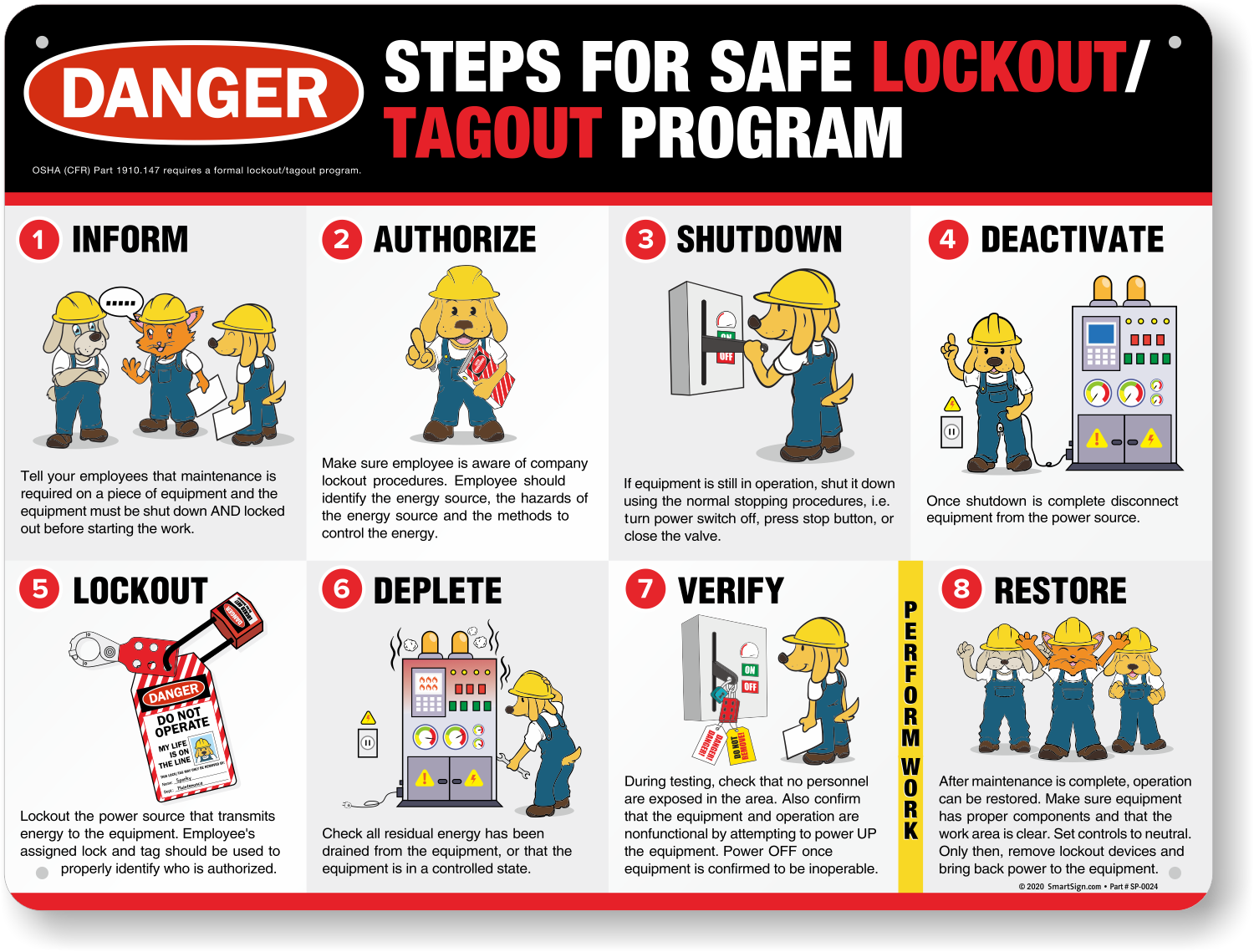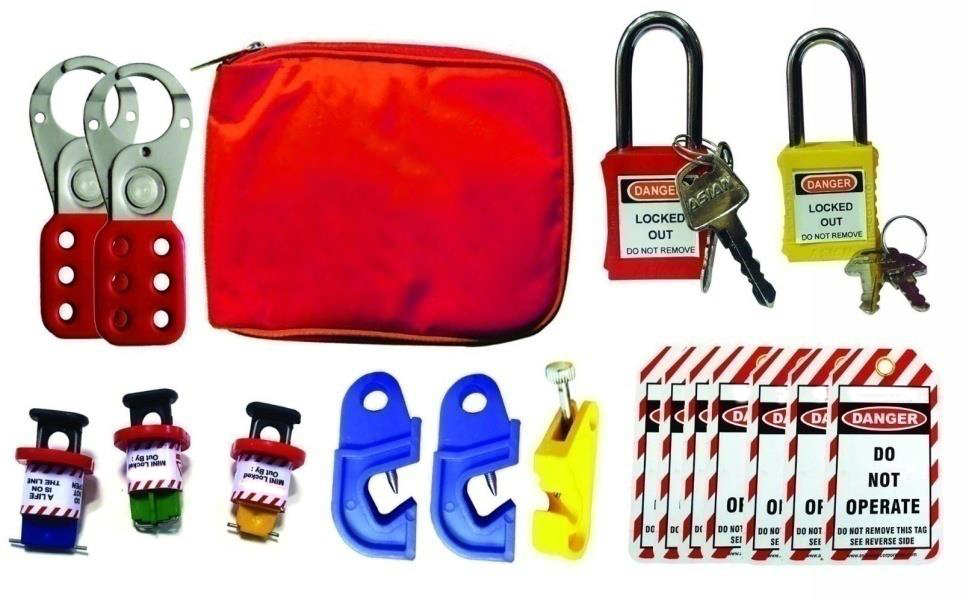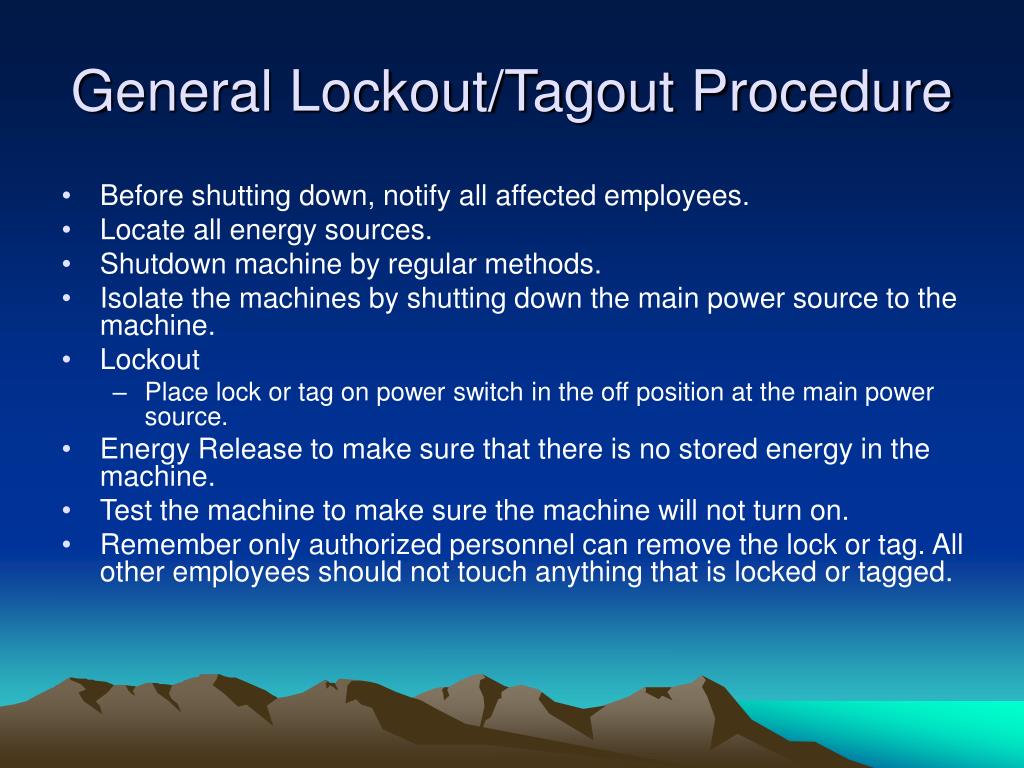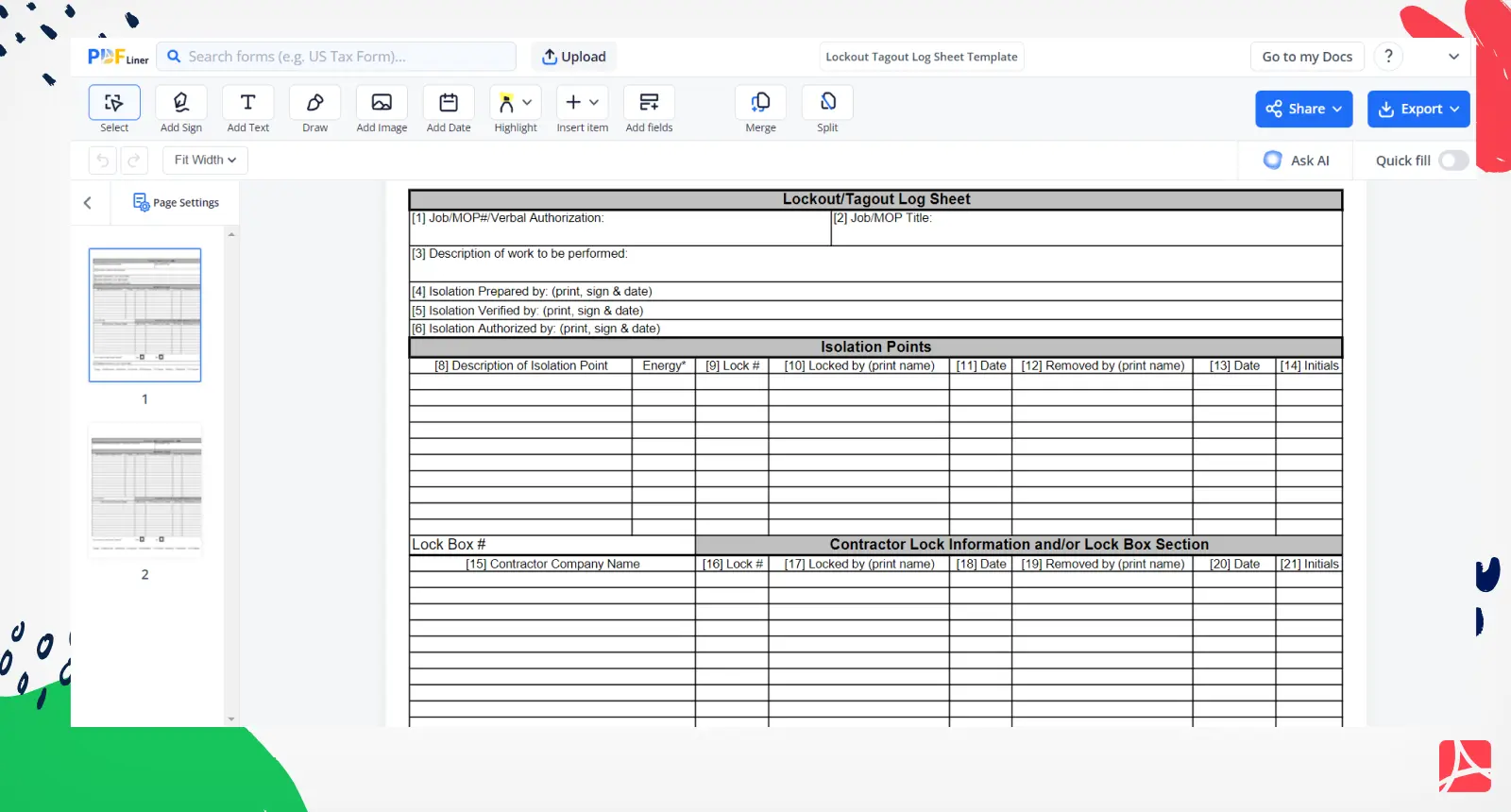
Equipment maintenance should never come at the cost of employee safety. Yet, every year, workers suffer serious injuries during servicing or repair due to improper control of hazardous energy. The Lock Out Tag Out (LOTO) log sheet—especially in PDF format—serves as a critical document in formalizing and tracking these safety procedures. More than just a checklist, it’s a compliance safeguard, a communication tool, and an audit trail rolled into one. If you're searching for a reliable LOTO log sheet PDF, you're likely trying to close real gaps: inconsistent documentation, lack of accountability, or noncompliance risks.
This article delivers practical guidance on using, customizing, and implementing LOTO log sheet PDFs—complete with insights on what to include, where mistakes happen, and how to maintain consistency across teams and equipment.
Why a LOTO Log Sheet PDF is Non-Negotiable
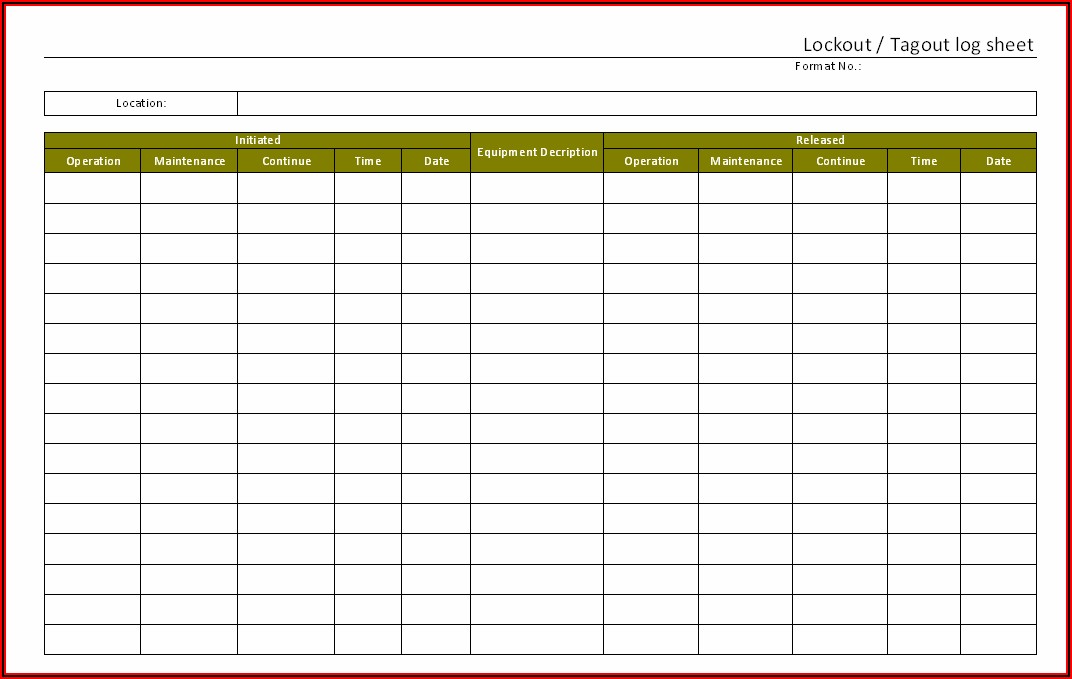
A Lock Out Tag Out log sheet documents every step of energy isolation—when equipment is shut down, who applied locks and tags, when re-energization occurs, and who authorized it. When saved in PDF format, it becomes a standardized, tamper-resistant record that’s easy to store, share, and retrieve during audits.
Without this log, organizations face:
- Unclear accountability: Multiple technicians working on the same machine without coordination.
- Premature re-energization: Equipment turned back on while someone is still inside or adjusting parts.
- OSHA violations: Fines for failing to comply with 29 CFR 1910.147, which mandates documented energy control procedures.
A well-maintained LOTO log sheet PDF eliminates ambiguity. It creates a paper (or digital) trail that protects both workers and management.
“The log isn’t just paperwork—it’s proof that safety was followed.” — Industrial Safety Auditor, Automotive Manufacturing Sector
What Belongs in a LOTO Log Sheet PDF
Generic templates often miss crucial details. A robust LOTO log sheet must go beyond “equipment name” and “date.” Here’s what should be included:
#### Mandatory Fields: - Equipment ID or Name: Unique identifier (e.g., Conveyor Line C3, Boiler #2) - Date and Time of Lockout Initiation - Authorized Employee Name & ID: The person applying the lock - Type of Energy Isolated: Electrical, hydraulic, pneumatic, thermal, chemical - Lock and Tag IDs: Physical tag numbers or lock identifiers - Nature of Work: Repair, cleaning, maintenance, inspection - Time of Re-energization - Authorized Release Signature: Final verification before restart
#### Recommended Add-ons: - Supervisor approval field - List of affected employees notified - Emergency contact during isolation - Location of stored keys or secondary locks
Leaving out any of these fields increases risk. For example, omitting energy types can lead to missed isolation steps—especially in multi-energy systems like industrial presses or chemical reactors.
Common Mistakes
with LOTO Log Sheet PDFs
Even with the best template, missteps happen. Here are the most frequent errors—and how to fix them:

1. Using a Blank PDF Without Workflow Integration Many teams download a LOTO log sheet PDF but don’t embed it into their safety process. The form gets filled out late, lost, or ignored.
✅ Fix: Pair the PDF with a mandatory step in your work order system. Make log completion a prerequisite for job sign-off.
2. Allowing Unsigned or Incomplete Logs A log sheet missing signatures is legally weak and undermines accountability.
✅ Fix: Use digital PDFs with signature fields. Train supervisors to verify completeness before equipment restart.
3. One-Size-Fits-All Templates Using the same log for a forklift and a CNC machine overlooks equipment-specific risks.
✅ Fix: Customize templates per equipment class. Attach machine-specific LOTO procedures as a reference.
4. Storing PDFs in Siloed Locations If the log sheet PDF is saved only on one technician’s desktop, it’s not accessible during audits or incident reviews.
✅ Fix: Store completed logs in a centralized document management system with version control and access logs.
How to Use a LOTO Log Sheet PDF in Real Workflows
Here’s how a mid-sized food processing plant implemented LOTO log sheets effectively:
- Step 1: Each maintenance task starts with pulling up the digital LOTO log sheet PDF from the CMMS (Computerized Maintenance Management System).
- Step 2: The technician fills out isolation details in real time—using a tablet on the shop floor.
- Step 3: Supervisor reviews and e-signs the PDF before lock removal.
- Step 4: Completed PDF is automatically archived with a timestamp.
This workflow reduced unscheduled restarts by 92% in six months.
For smaller operations, a printed PDF log sheet can work—if stored in a locked logbook and reviewed weekly. But digital is preferred for traceability and searchability.
Top 5 Free LOTO Log Sheet PDF Templates
Not all templates are created equal. These five are OSHA-aligned, field-tested, and easy to customize:
| Template | Source | Key Features | Best For |
|---|---|---|---|
| OSHA-Compliant LOTO Log | SafetyStore.com | Pre-filled with OSHA 1910.147 fields, dual-signature layout | Manufacturing, heavy industry |
| Simplified Daily LOTO Sheet | SafetyForms.com | Minimalist design, 1-page format | Small shops, routine maintenance |
| Multi-Energy Isolation Log | EHS Daily Advisor | Tracks 5+ energy types, includes PPE checklist | Complex machinery, chemical plants |
| Digital Fillable PDF (with e-sign) | PDFLoto.com | Interactive fields, cloud export | Teams using tablets or mobile devices |
| Bilingual (EN/ES) LOTO Log | SafetySpan.com | Spanish-English version, visual icons | Multilingual workforces |
All are downloadable, editable, and printer-friendly. Always verify that your downloaded template aligns with your internal safety policies.
Pro Tip: Rename your downloaded PDF as “LOTO_Log_[EquipmentType]_[Site].pdf” for faster retrieval.
Customizing Your LOTO Log Sheet for Maximum Impact
A template is only a starting point. To make it effective, tailor it:
- Add site-specific hazards: For example, if working with cryogenic systems, include a “Residual Cold Energy” verification field.
- Embed QR codes: Link to equipment-specific LOTO procedures stored in your intranet.
- Include photo attachments: Allow technicians to snap a picture of the locked point and embed it in the PDF using tools like Adobe Acrobat.
- Set up automated reminders: Use PDF workflows to send alerts when a lock has been in place for more than 8 hours.

One pharmaceutical facility reduced lockout duration errors by 70% simply by adding a “Time Elapsed” auto-calculator in their PDF.
Legal and Audit Readiness: Why PDF Format Wins
When OSHA shows up, they don’t ask for verbal explanations. They ask for records.
PDFs offer distinct advantages over paper or Word docs:
- Tamper resistance: Digital signatures and metadata prevent alteration.
- Consistency: No illegible handwriting or missing pages.
- Searchability: Audit teams can search for specific equipment or dates instantly.
- Portability: Attach to emails, upload to portals, or print on demand.
However, ensure your PDFs are not just saved—they’re managed. Use a naming convention like: LOTO_2025-04-05_ConveyorC3_MartinJ.pdf
And store them in a secure, backed-up location with access logs.
Integrating LOTO Logs
with Broader Safety Programs
A standalone log sheet is better than nothing—but it’s not enough. Integrate it into your broader safety ecosystem:
- Link to Permit-to-Work (PTW) systems: Require a completed LOTO log before issuing a work permit.
- Tie into training records: Only authorized employees should appear on log sheets.
- Use for incident investigation: If an injury occurs, the log reveals whether procedures were followed.
One refinery cross-referenced LOTO logs after a near-miss and discovered a pattern: night-shift crews skipped tag verification 30% more often. That insight led to targeted retraining.
Final Step: Make It Actionable Today
Don’t wait for an incident or audit to act. Download a reliable LOTO log sheet PDF now—preferably one that matches your equipment complexity and team size. Customize it with your site details, required fields, and approval steps. Train your team to use it consistently. And store every completed log in a secure, searchable system.
Safety isn’t about perfection. It’s about diligence. A single well-kept LOTO log sheet PDF could prevent a life-altering injury.
Start today. Lock it, tag it, log it—and never assume it’s been done.
Frequently Asked Questions
What is a LOTO log sheet PDF used for? It documents the application and removal of locks and tags during equipment maintenance, ensuring energy isolation is verified and traceable.
Is a digital LOTO log sheet PDF compliant with OSHA? Yes, as long as it contains all required information, is signed (electronically or physically), and is accessible for inspection.
Who should fill out the LOTO log sheet? The authorized employee performing the servicing or maintenance must complete and sign the log.
Can I modify a free LOTO log sheet PDF? Absolutely. Most templates are designed to be customized for your equipment, site rules, and safety policies.
How long should I keep completed LOTO log sheets? OSHA recommends retaining records for at least one year, though many industries keep them for 3–5 years for liability protection.
Are there mobile apps that sync with LOTO PDF logs? Yes, platforms like iAuditor, SafetyCulture, and MaintainX allow digital LOTO logging with PDF export and e-signatures.
Do I need a separate log for each piece of equipment? Not necessarily—use one log per maintenance event. But ensure equipment is clearly identified on each sheet.
FAQ
What should you look for in Lock Out Tag Out Log Sheet PDF: Free Templates & Best Practices? Focus on relevance, practical value, and how well the solution matches real user intent.
Is Lock Out Tag Out Log Sheet PDF: Free Templates & Best Practices suitable for beginners? That depends on the workflow, but a clear step-by-step approach usually makes it easier to start.
How do you compare options around Lock Out Tag Out Log Sheet PDF: Free Templates & Best Practices? Compare features, trust signals, limitations, pricing, and ease of implementation.
What mistakes should you avoid? Avoid generic choices, weak validation, and decisions based only on marketing claims.
What is the next best step? Shortlist the most relevant options, validate them quickly, and refine from real-world results.